
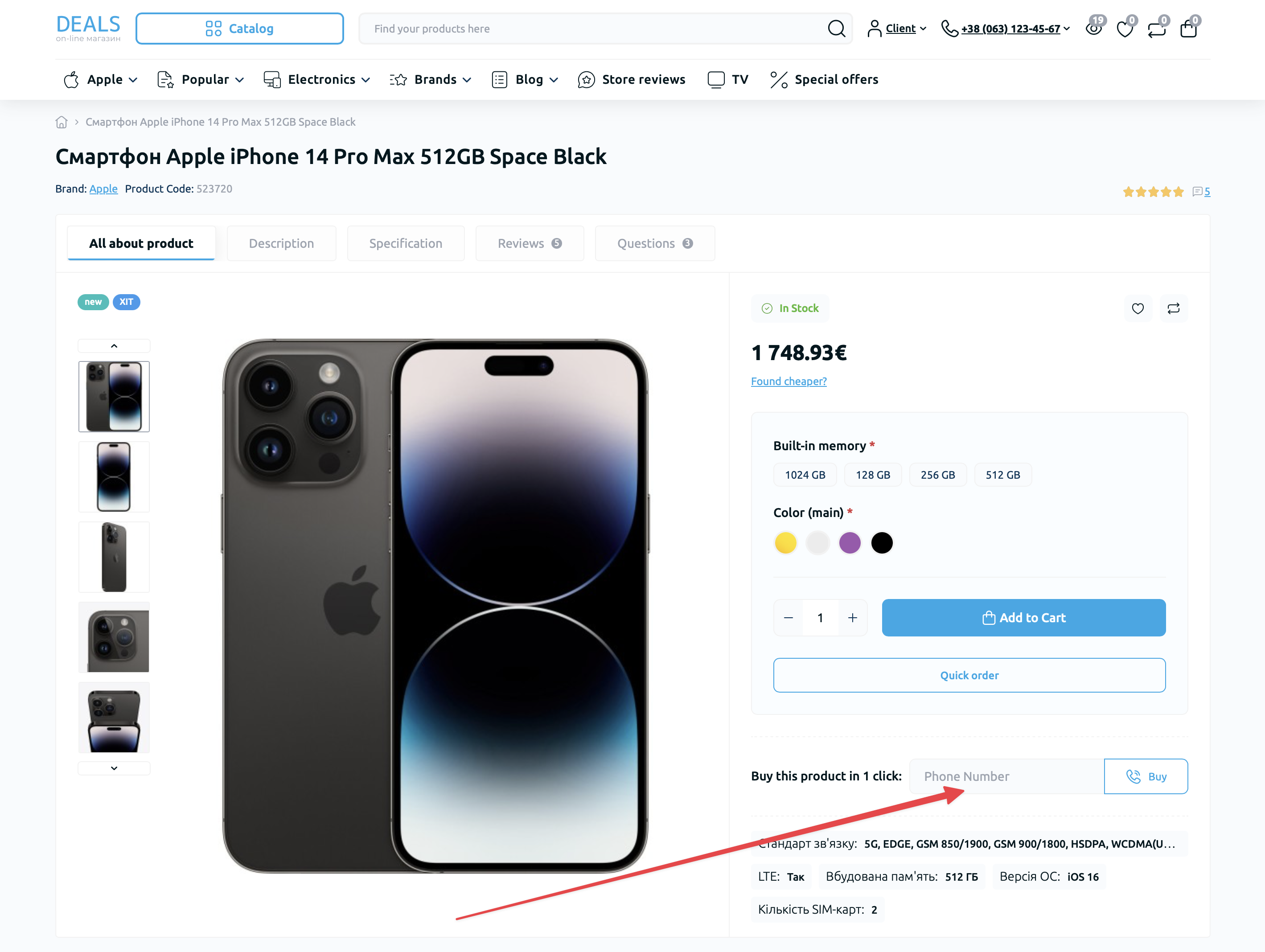
All orders placed through the "Fast Order" or "Buy in 1 Click" module are saved to the database and displayed as regular orders, which can be edited if necessary using the standard OpenCart functionality.
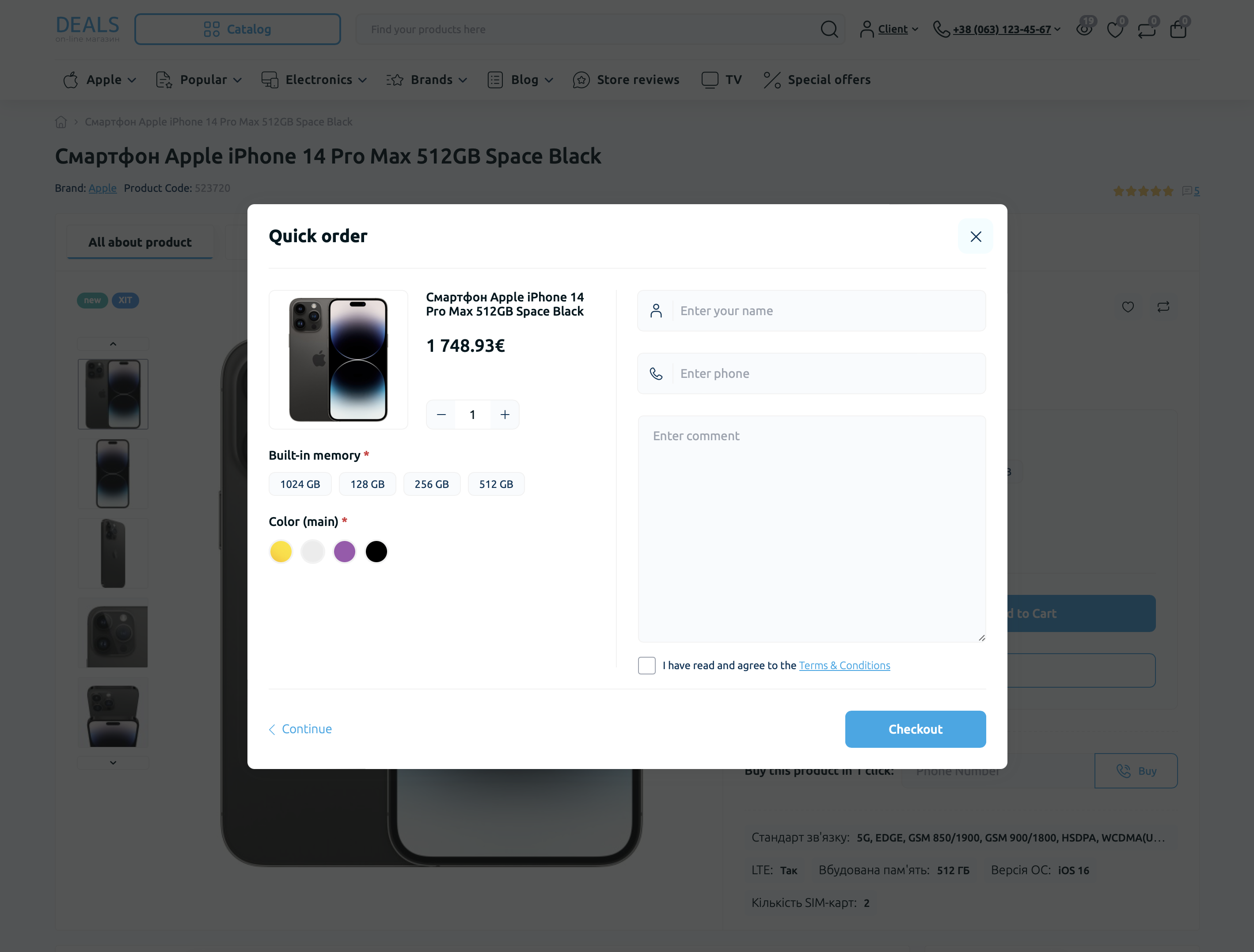
The "Fast Order" module allows you to display an additional "Fast Order" button on the page, allowing the store customer to make a purchase without going to the checkout page.
On the module settings page, you can select the required elements to display in the pop-up window.
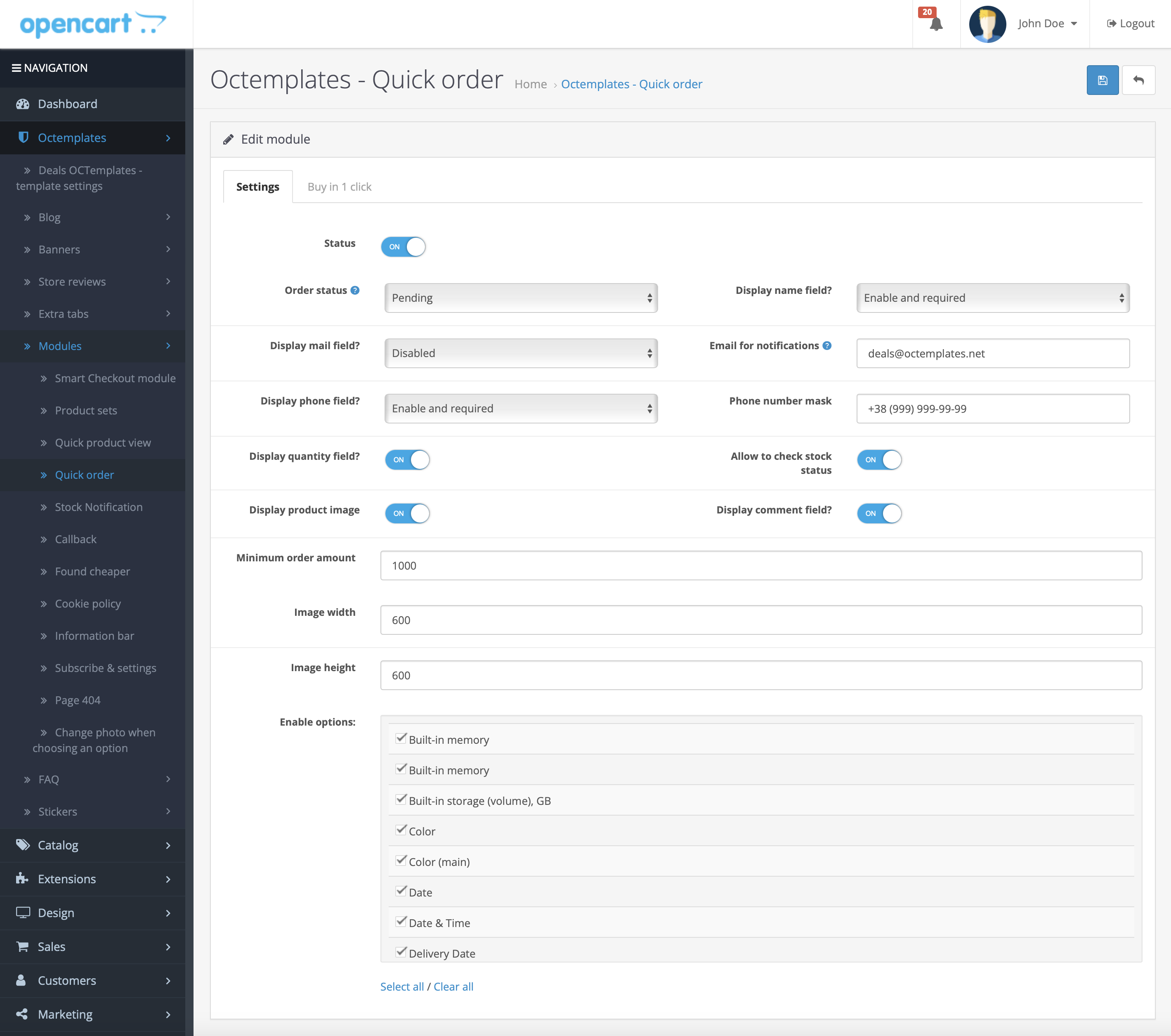
The following options will be available in the "Fast Order" tab of the module:
- "Status" — allows you to enable or disable the module;
- "Order status" — allows you to select the status of the order placed through the module;
- "Show Name field" — allows you to show or hide the "Name" field for entering user data;
- "Show Email field" — allows you to show or hide the "Email" field for entering user data;
- "Email for notifications" — allows you to enter the e-mail address for receiving notifications about new orders by email;
- "Show Phone field" — allows you to show or hide the "Phone" field for entering user data;
- "Phone number mask" — allows you to select a mask for entering the phone number so that the user can enter the correct data more easily. For the plugin to work correctly on all devices, use the "9" symbol, where 9 represents digits that can be changed. For example, the mask for Ukraine: +38(999)999-99-99.
- "Show Quantity field" — allows you to show or hide the product quantity selection field;
- "Check product availability" — allows you to enable or disable product quantity tracking;
- "Product image" — allows you to enable or disable product image display;
- "Show Comment field" — allows you to show or hide the "Comment" field for entering user data;
- "Minimum order amount" — allows you to specify the minimum amount after which order placement becomes possible;
- "Image width" — allows you to set the product image width;
- "Image height" — allows you to set the product image height;
- "Allow options" — allows you to select the options that will be available during order placement.
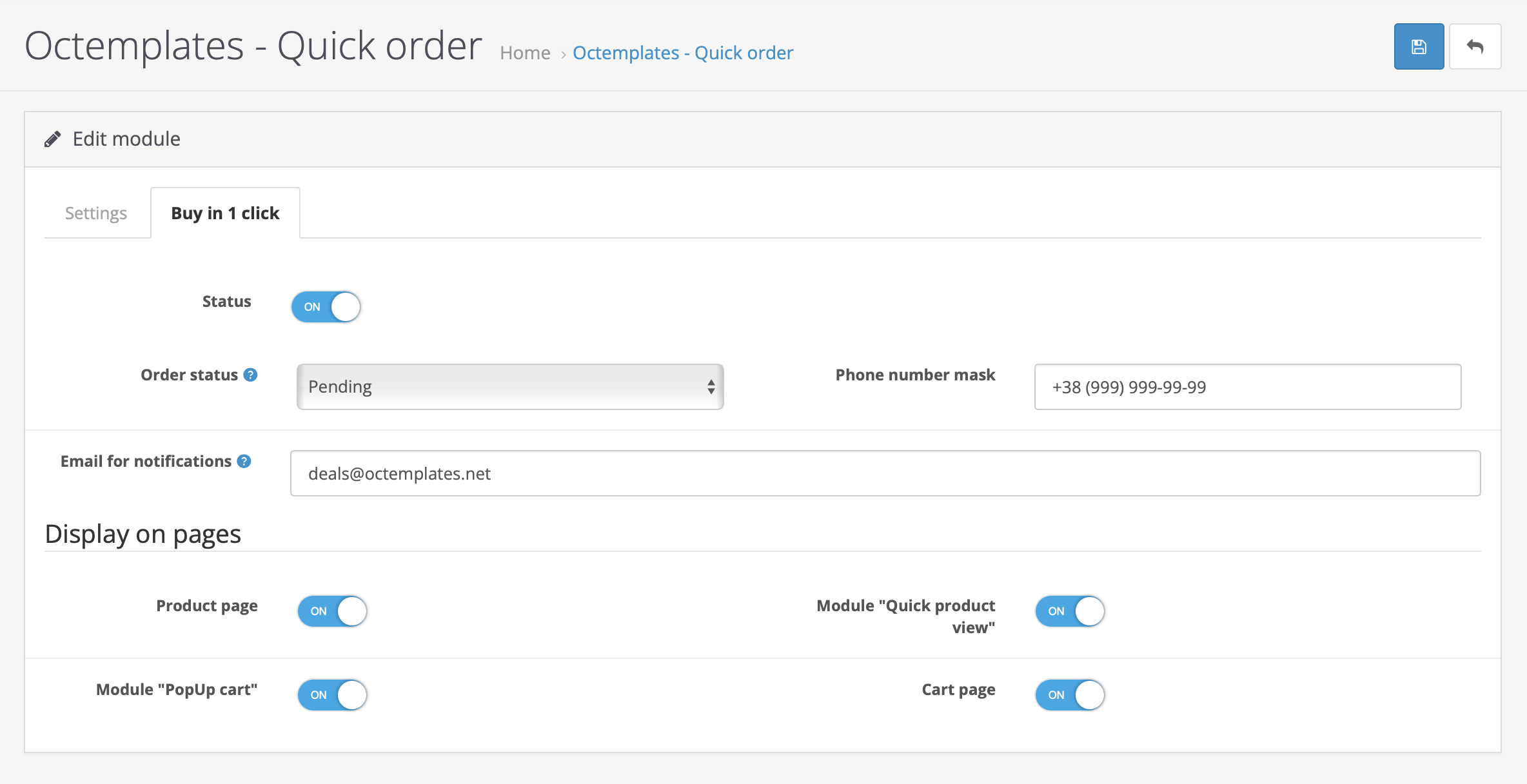
The following options will be available in the "Buy in 1 Click" tab of the module:
- "Status" — allows you to enable or disable the module;
- "Order status" — allows you to select the status of the order placed through the module;
- "Phone number mask" — allows you to select a mask for entering the phone number so that the user can enter the correct data easily. For the plugin to work correctly on all devices, use the "9" symbol, where 9 represents digits that can be changed. For example, the mask for Ukraine: +38(999)999-99-99.
- "Email for notifications" — allows you to enter the e-mail address for receiving notifications about new requests by email;
- "Product page" — allows you to enable or disable the module on the product page;
- "Quick View" — allows you to enable or disable the module in the "Quick View" module;
- "PopUp cart" — allows you to enable or disable the module in the "Sidebar cart" module;
- "Cart page" — allows you to enable or disable the module on the standard cart page.
Write a comment