
The "Price Tracking" module allows you to track product price changes and automatically notify customers about price drops by email or SMS. The system stores the price change history, tracks product price dynamics, and sends notifications to subscribers when the price changes.
"Settings" tab
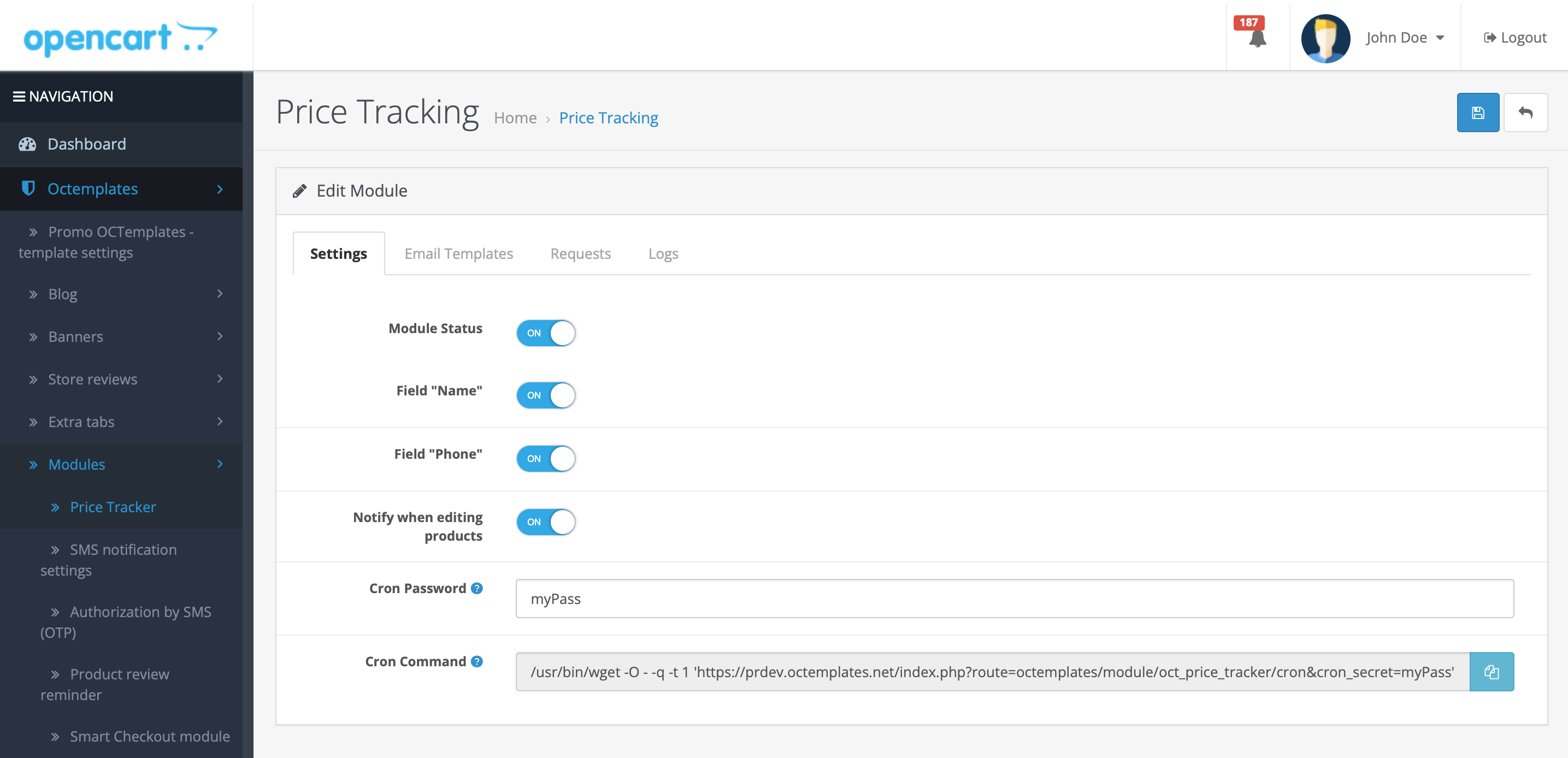
Main module settings
- "Module status" — activates or deactivates the price tracking function on the site;
- "Name field" — allows you to include the name of the customer who tracked the product in the email message;
- "Phone field" — allows you to include the customer's phone number in the email message;
- "Remind when editing products" — the system will show a message to the administrator when the price changes for a product that users are tracking;
- "Cron password" — a unique key for protecting the module CRON task;
- "Cron command" — a command for automatically sending email messages about price changes via CRON.
"Email templates" tab
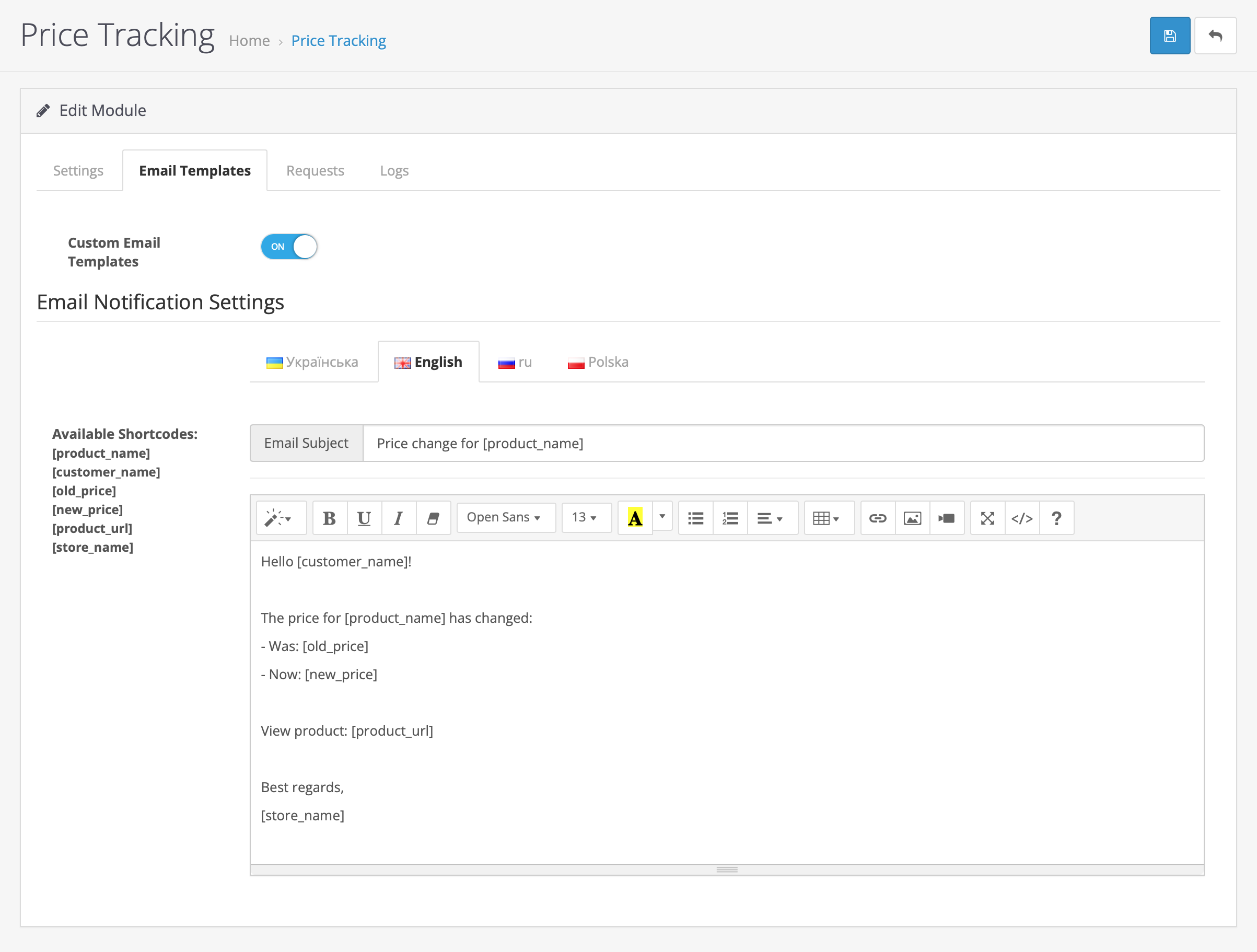
Email message settings
- "Custom email templates" — allows you to use your own templates for email messages instead of the default ones;
- "Available shortcodes" — special shortcodes are used for dynamic email content:
[product_name]— product name;[customer_name]— customer name;[old_price]— old «Previous» price;[new_price]— new current price;[product_url]— product link;[store_name]— store name.
- "Email message settings" — allows you to edit the text, subject, and content of the email message that will be sent to the customer when the product price changes;
- "Email subject" — allows you to set the email message subject text;
- "Main text" — allows you to edit the main email content with text formatting and shortcode support.
"Requests" tab
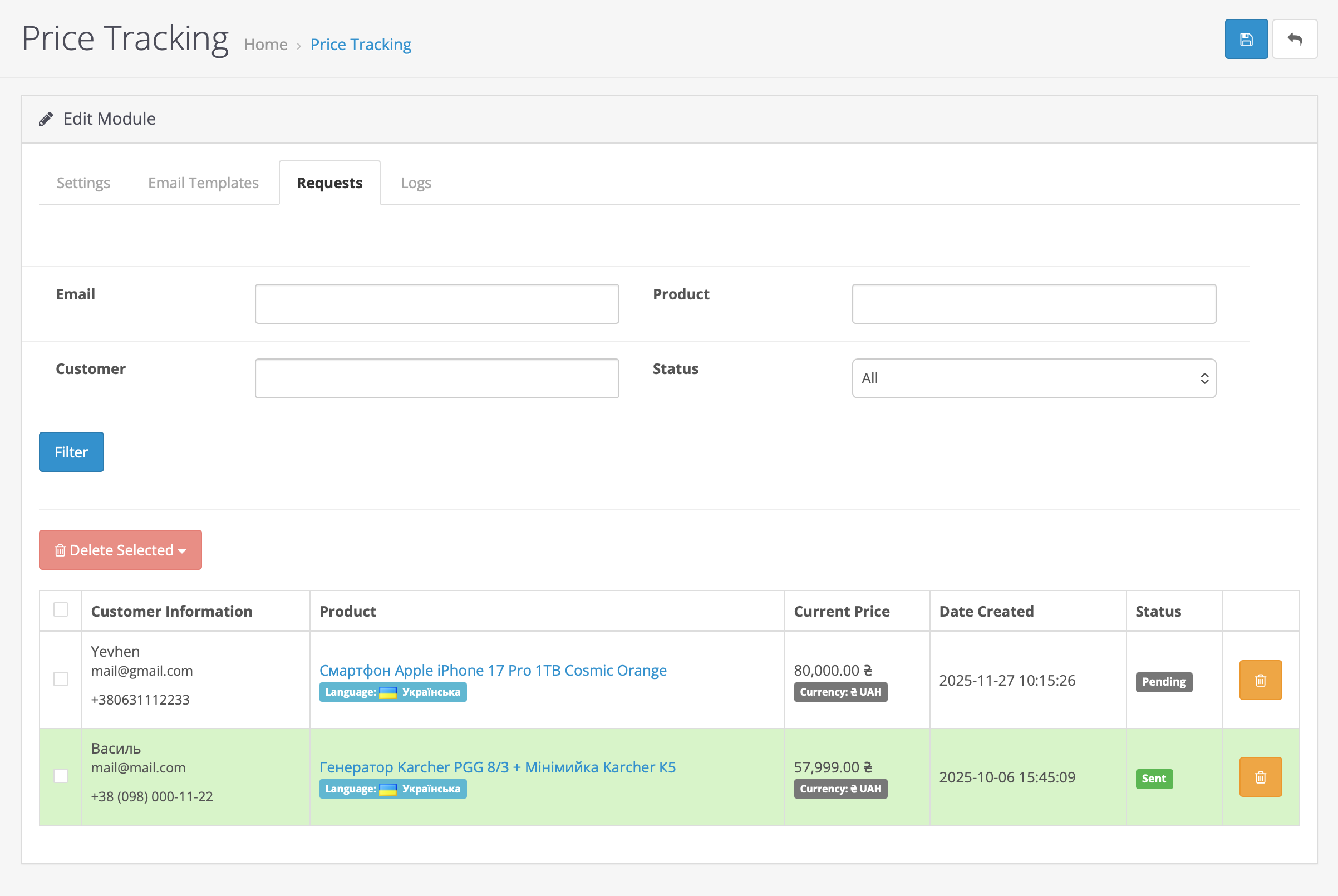
Managing user price tracking requests
This tab shows all active customer requests for tracking product prices with the following information:
- "Customer information" — the name and email address of the customer tracking the product;
- "Product" — the product name, its tracking status, and the selected language at the time of the request;
- "Current price" — the current product price at the time of viewing and the selected currency at the time of the request;
- "Date created" — the date when the customer submitted the product tracking request;
- "Status" — shows the active tracking status:
- "Pending" — the request is active, and the system tracks price changes;
- "Sent" — the customer has unsubscribed from notifications.
- "Filtering and search" — requests can be filtered by:
- Customer email address;
- Product name;
- Customer first and last name;
- Request status «All, pending, sent».
"Message logs" tab
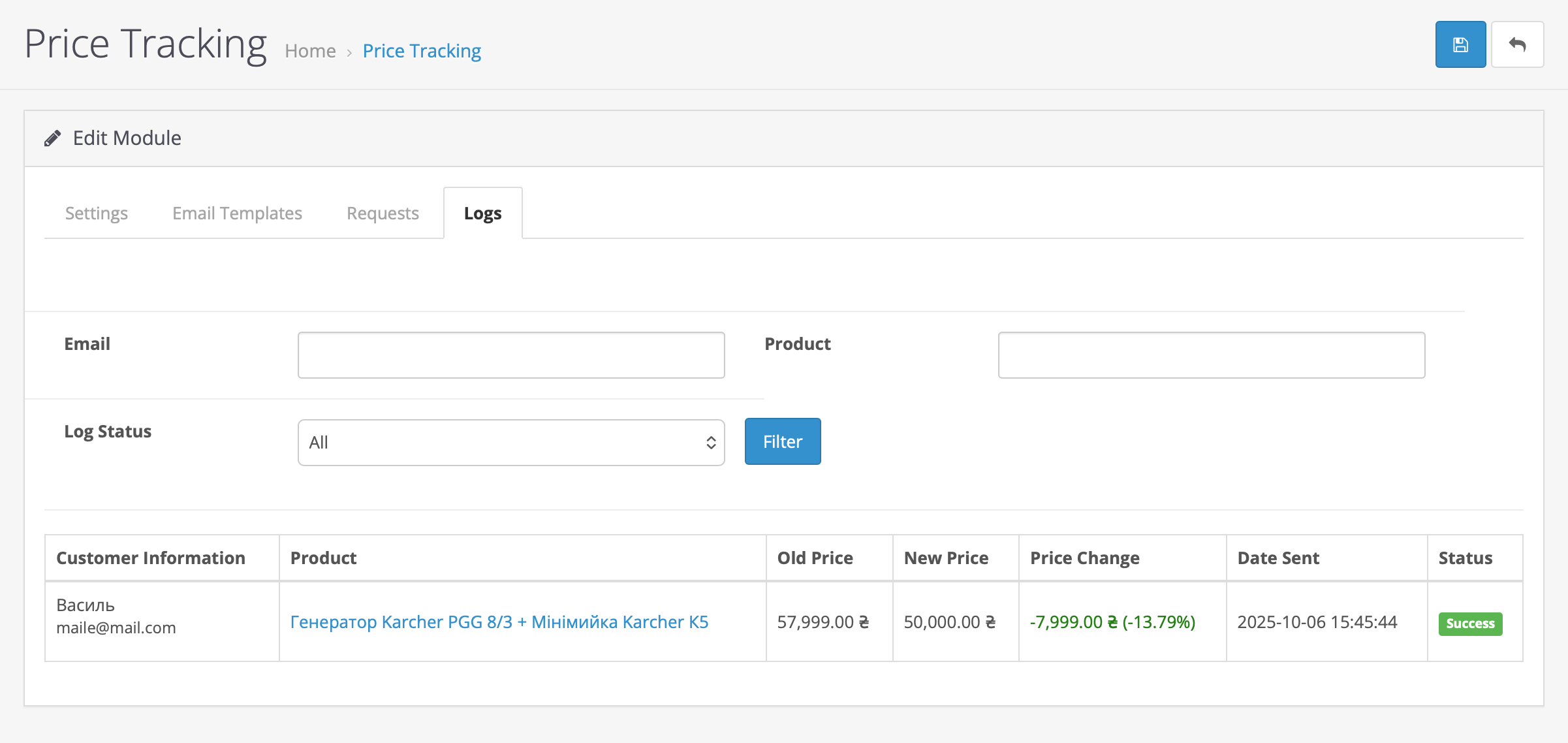
History of sent email messages
This tab displays a detailed log of all sent email messages about price changes:
- "Customer information" — the email address of the customer who received the message;
- "Product" — the name of the product whose price changed;
- "Old price" — the previous product price;
- "New price" — the current product price;
- "Price change" — the absolute and percentage difference between the old and new product price;
- "Date sent" — the exact date and time when the email message was sent;
- "Status" — shows the delivery status:
- "Successful" — the email was sent successfully;
- "Error" — an error occurred while attempting to send.
Write a comment