
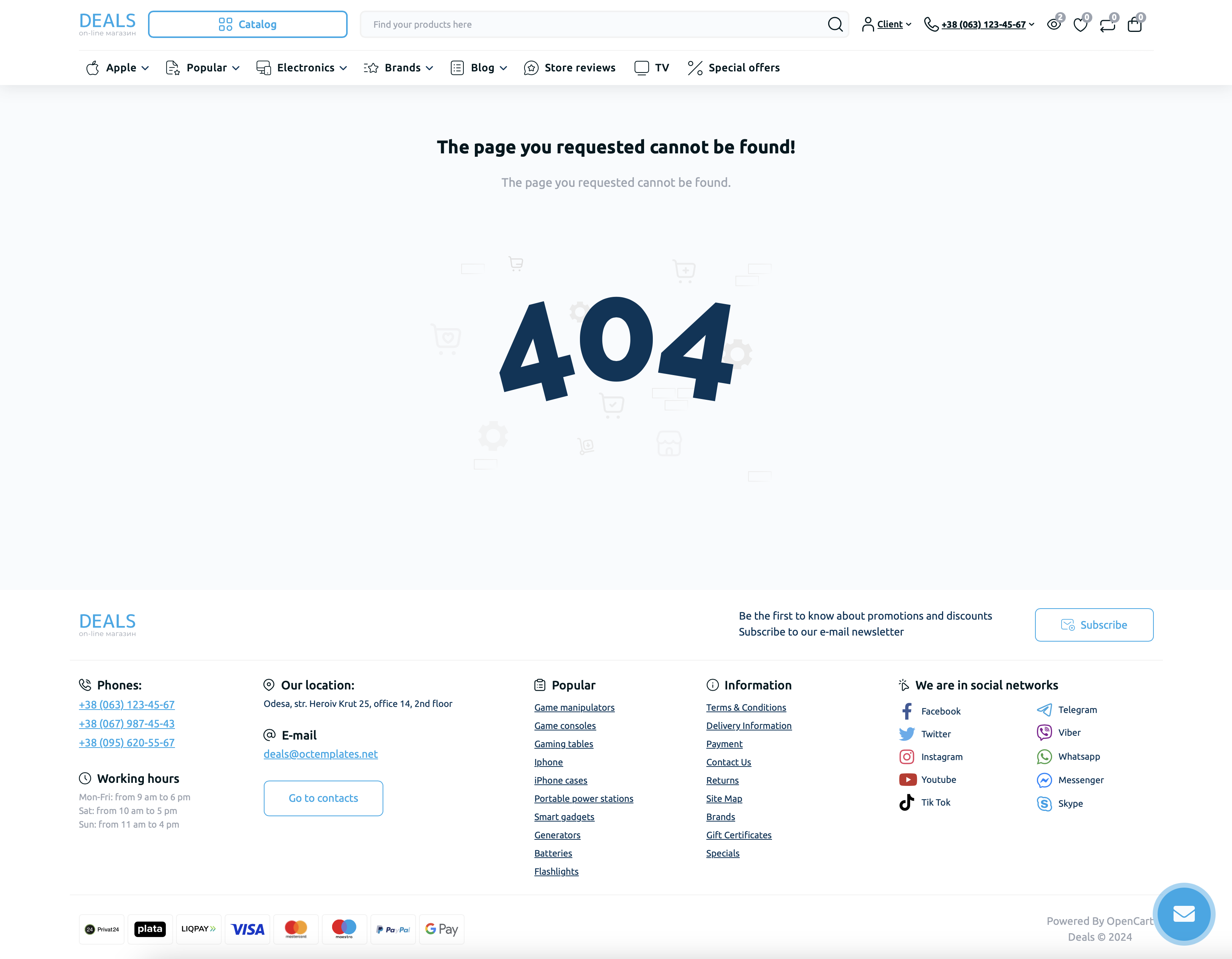
The "404 Page" module allows you to configure the standard 404 page "The requested page was not found", making it more attractive and useful for customers.
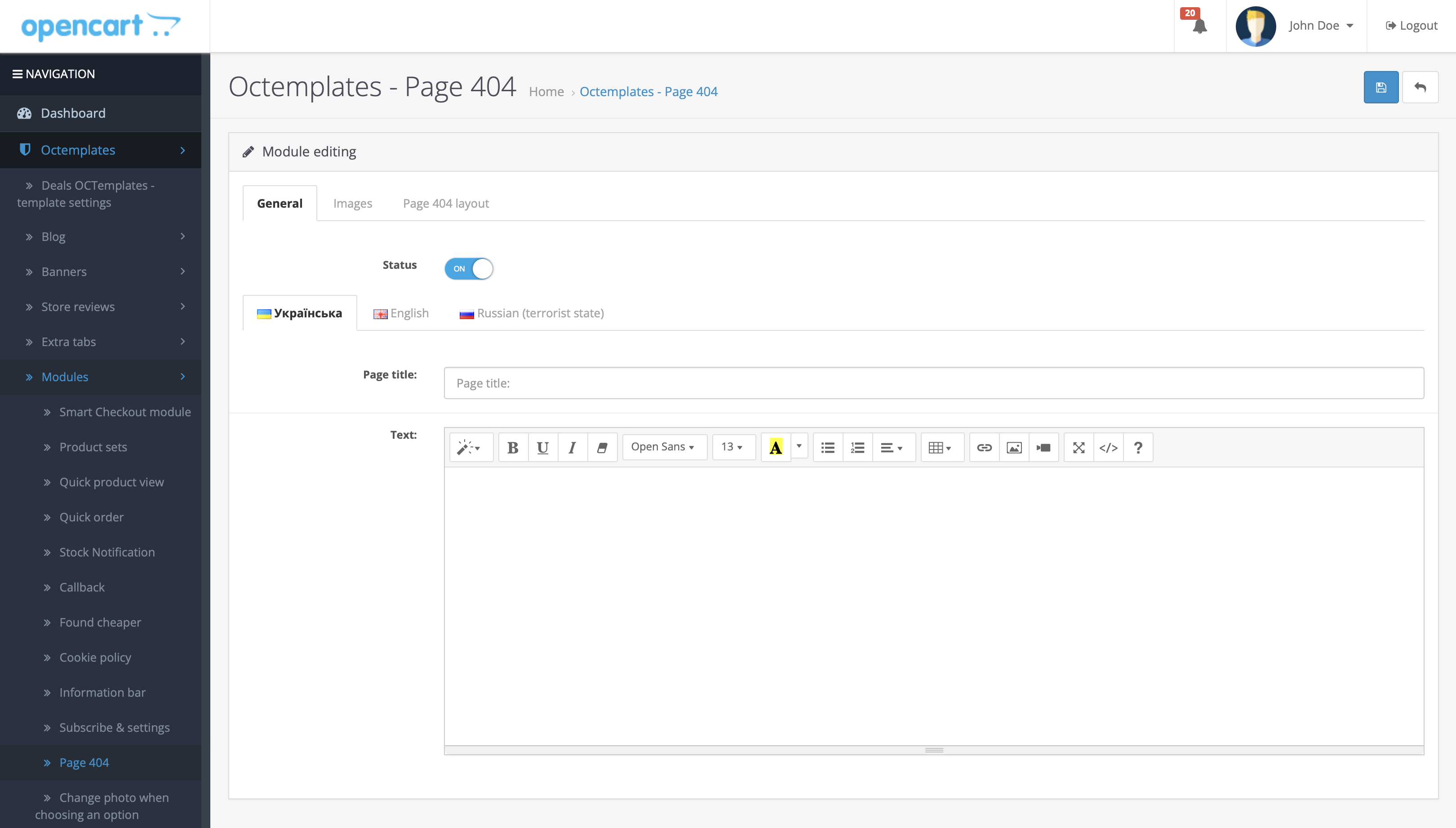
To install the module, go to the module list and click the "Activate" button next to the extension name. Then click the "Edit" button located next to it.
After opening the module editor, three tabs with module settings will be available.
The "General" tab contains the following settings:
- "Status" — allows you to enable or disable the "404 Page" module;
- "Page title" — allows you to set the title that will be displayed on the 404 page;
- "Text" — allows you to display custom text on the 404 page.
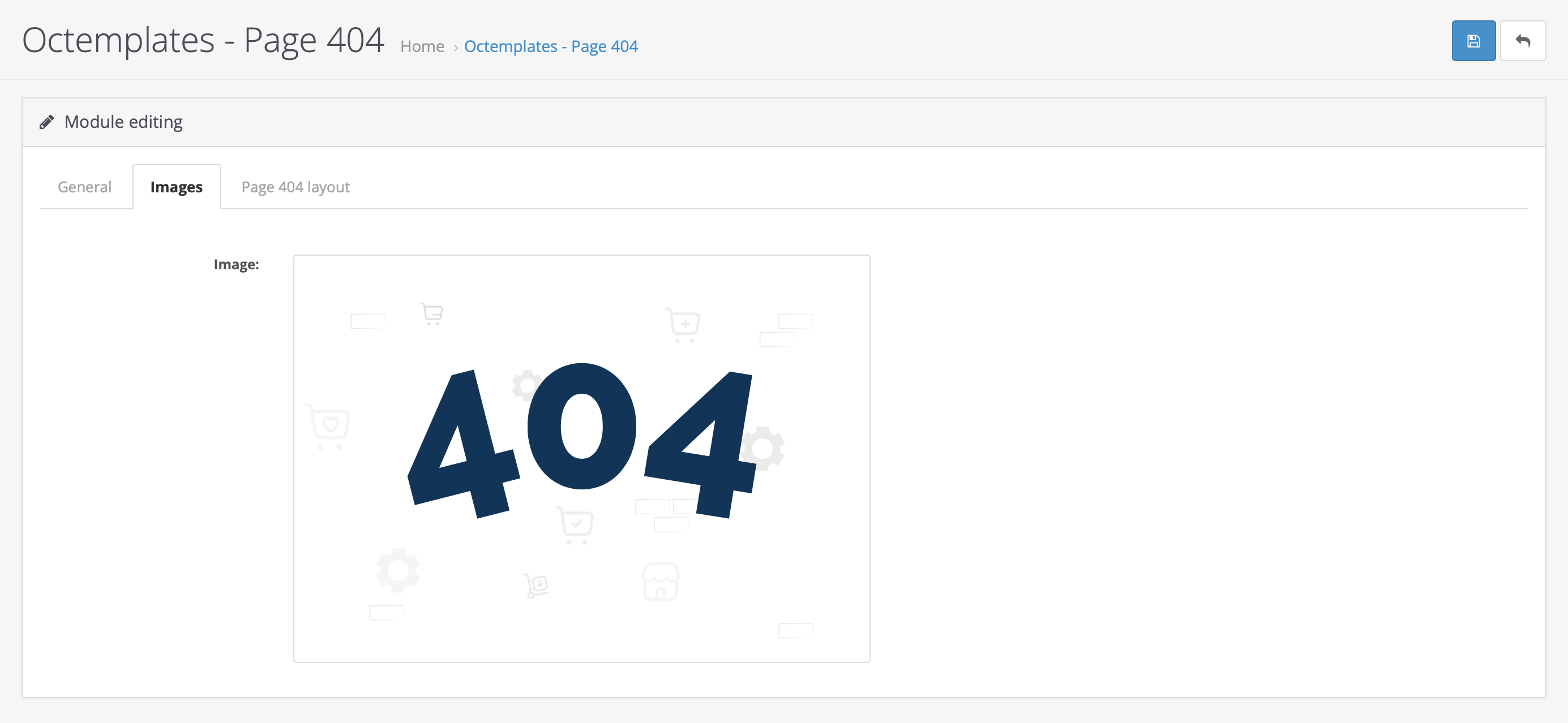
In the "Image" tab, you can upload any image that will be displayed on the 404 page after uploading.
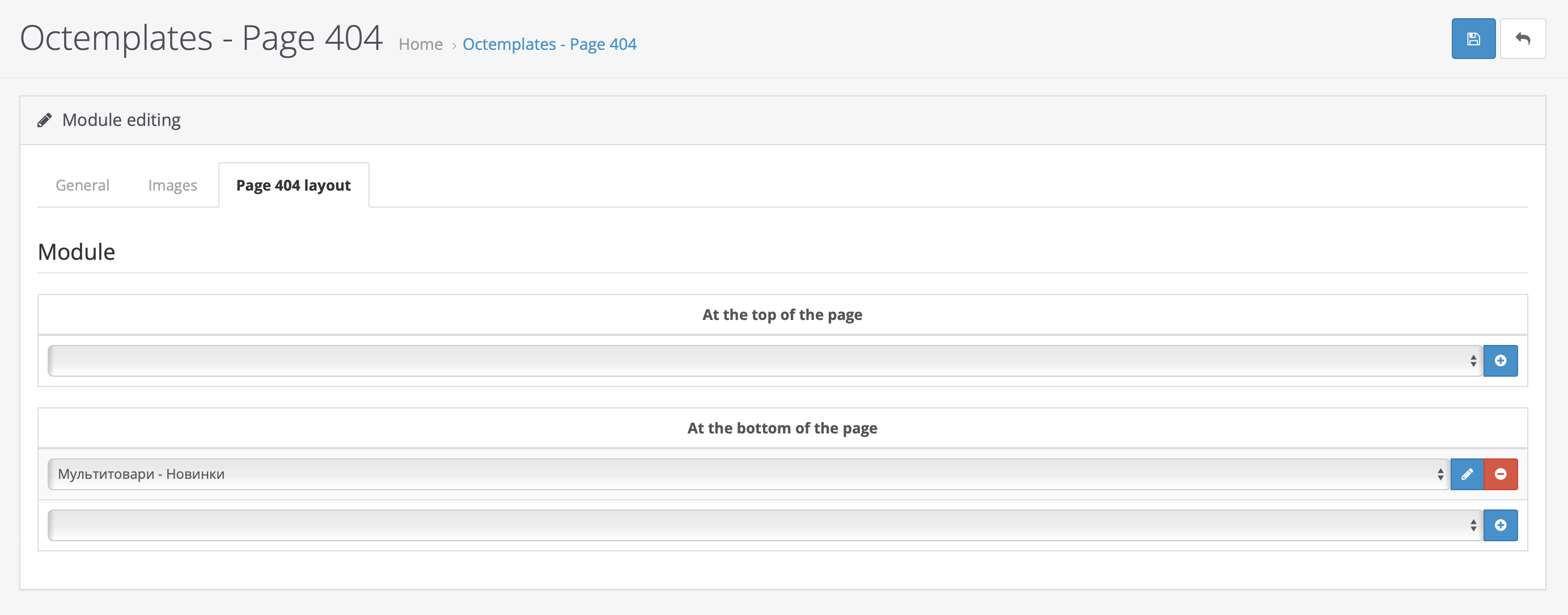
In the "404 Page Layout" tab, you can display any module intended for output in content-top or content-bottom without going to the layout settings page.
Write a comment