
The "Newsletter Subscription" module allows you to manage store user subscriptions and later send promotions and special offers to users who have subscribed. To configure the module, go to "Modules" - "Newsletter Subscription". The settings page will open.
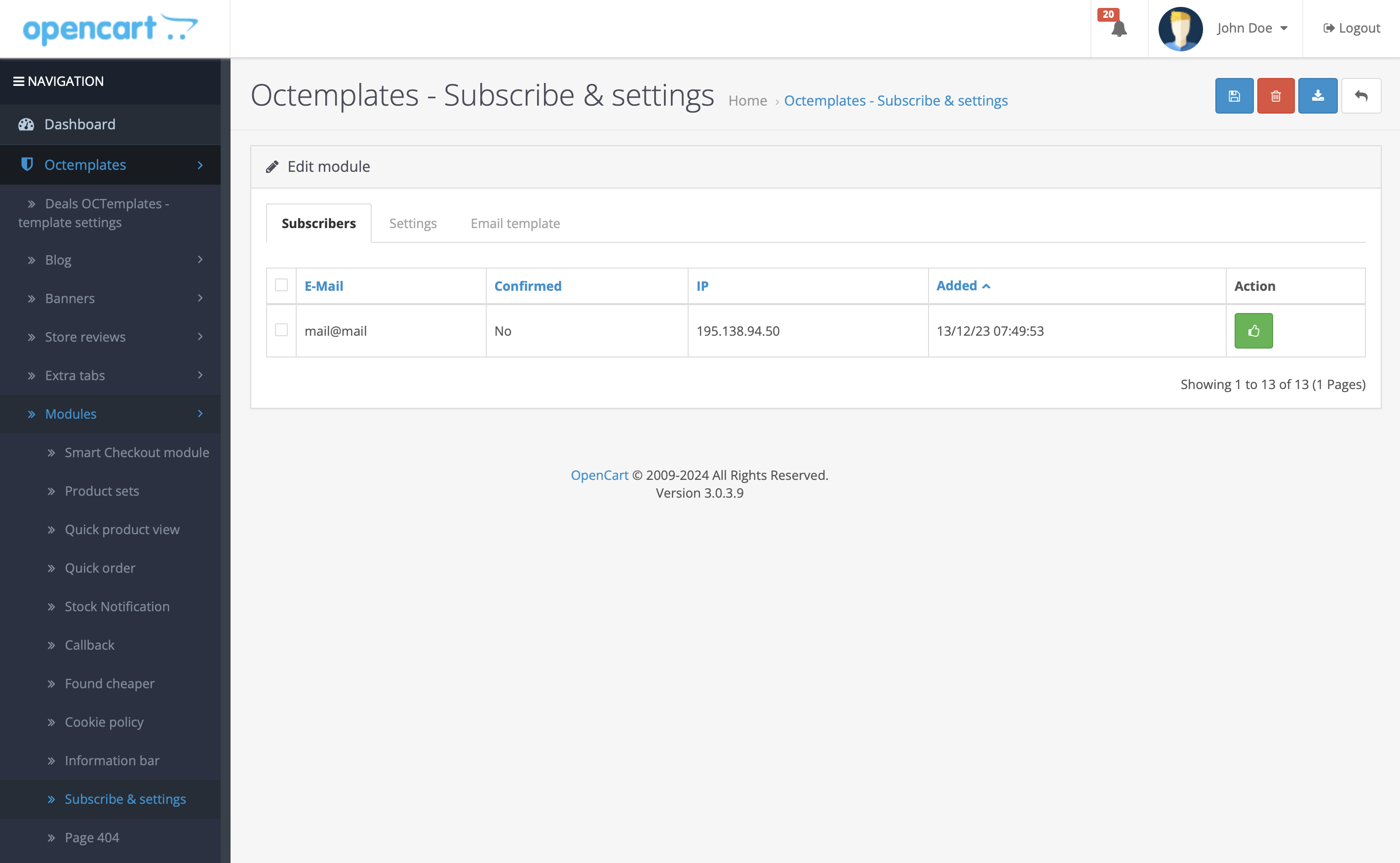
In the upper-right corner, in addition to the standard "Save" and "Delete" buttons, there is an "Export subscribers" button. By clicking it, you can export the list of subscribed users in *.csv format for further work.
On the same page, you can see three tabs: "Subscribers", "Settings", and "Email template".
In the "Subscribers" tab, you can see information about the subscribed user: E-mail, whether the subscription is confirmed, IP address, subscription date, and the subscription confirmation button.
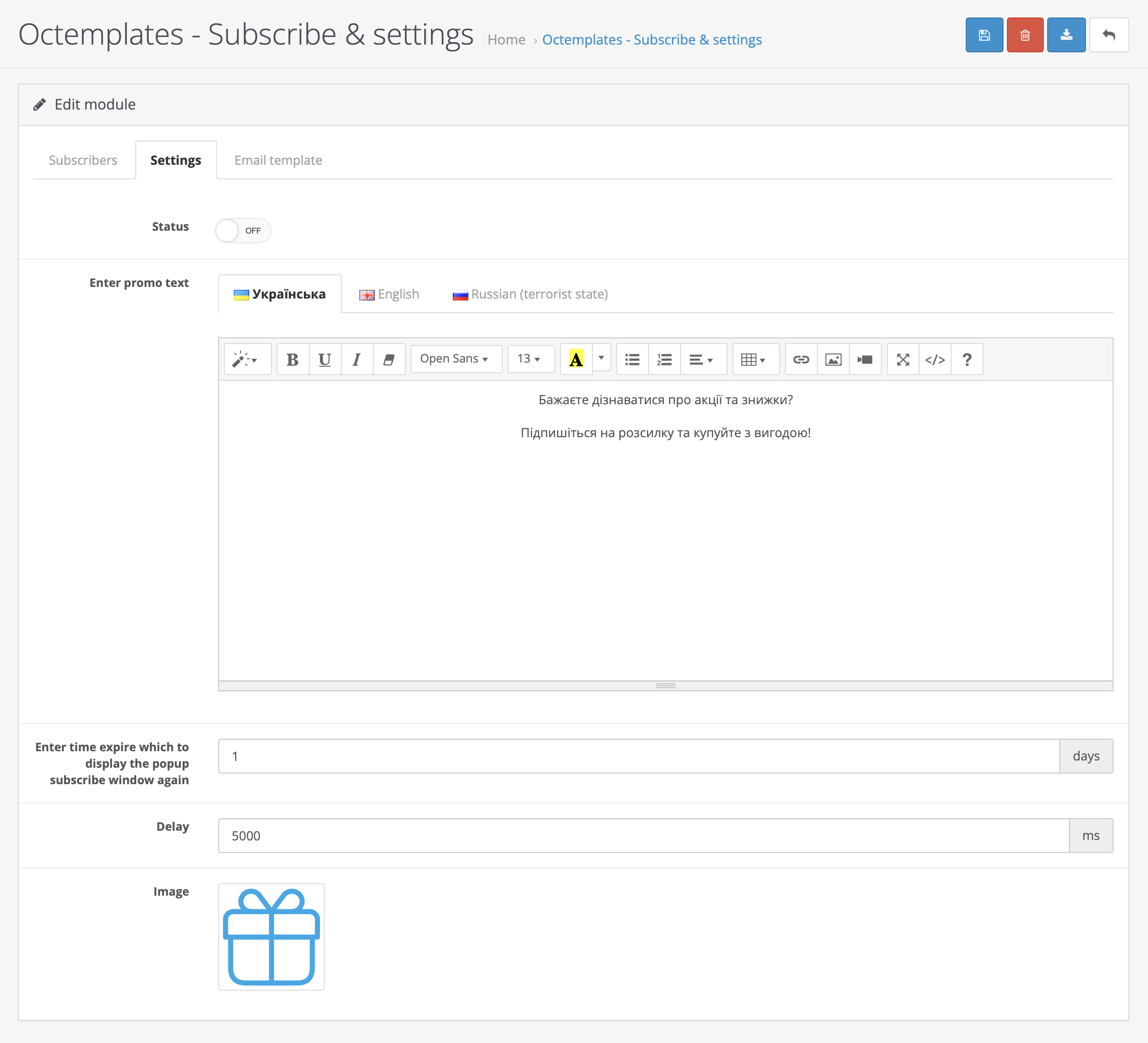
The "Settings" tab contains the following fields:
- "Status" — allows you to enable or disable the module;
- "Enter promo text" — allows you to create and display text for potential subscribers;
- "Time after which to show the subscription popup again" — allows you to select the time period after which the user will see the subscription popup block on your site again. This period is set in days;
- "Delay" — allows you to select the time period in milliseconds after which the user will see the subscription popup block on your site for the first time. For example, 10000 milliseconds equals 10 seconds;
- "Image" — allows you to select the image that will be displayed in the subscription popup block on your site.
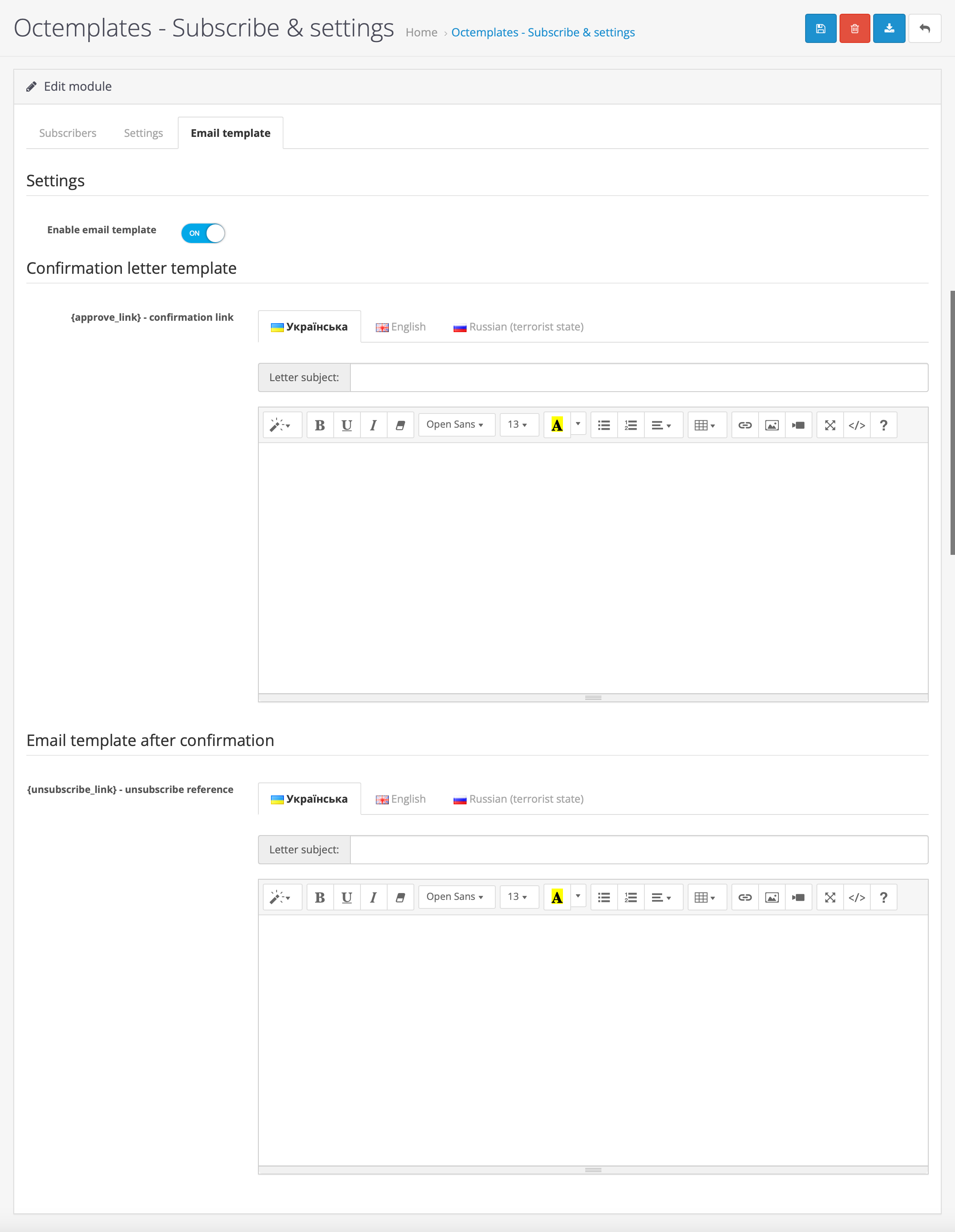
The "Email template" tab contains the following fields:
- "Enable email template" — allows you to enable or disable the email template;
- "Confirmation email template" — allows you to create the email that will be sent to users to confirm their subscription;
- "Email template after confirmation" — allows you to create the email that will be sent to the user after successful subscription confirmation.
Write a comment