
The "Category Wall" module allows you to display blocks with categories and subcategories on the store homepage. To install the module, go to the module list and click the "Activate" button next to the extension name. Then click the "Edit" button located next to it.
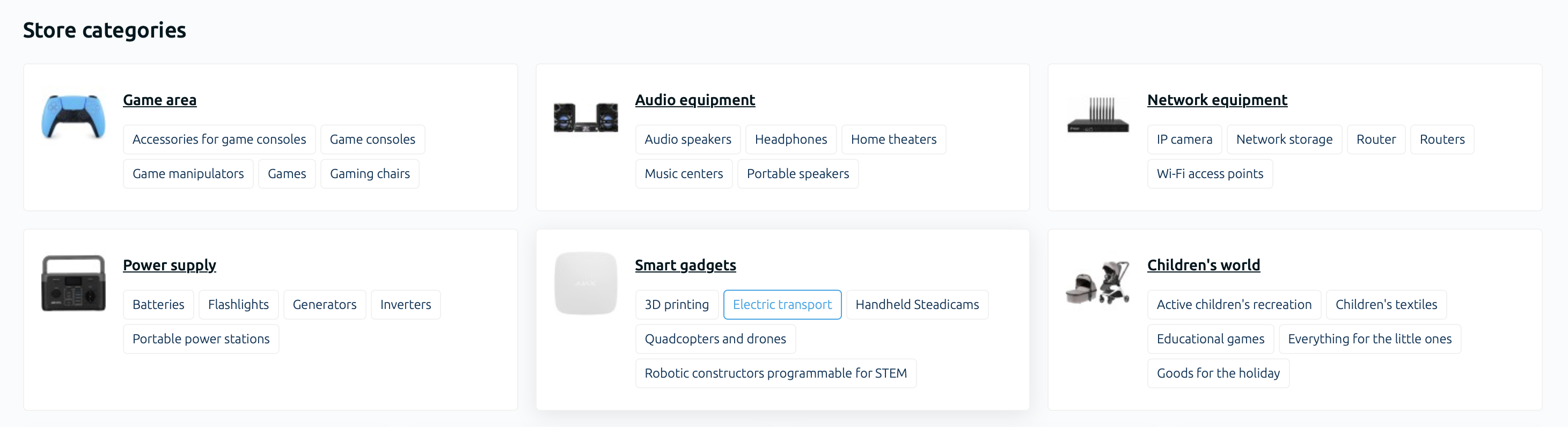
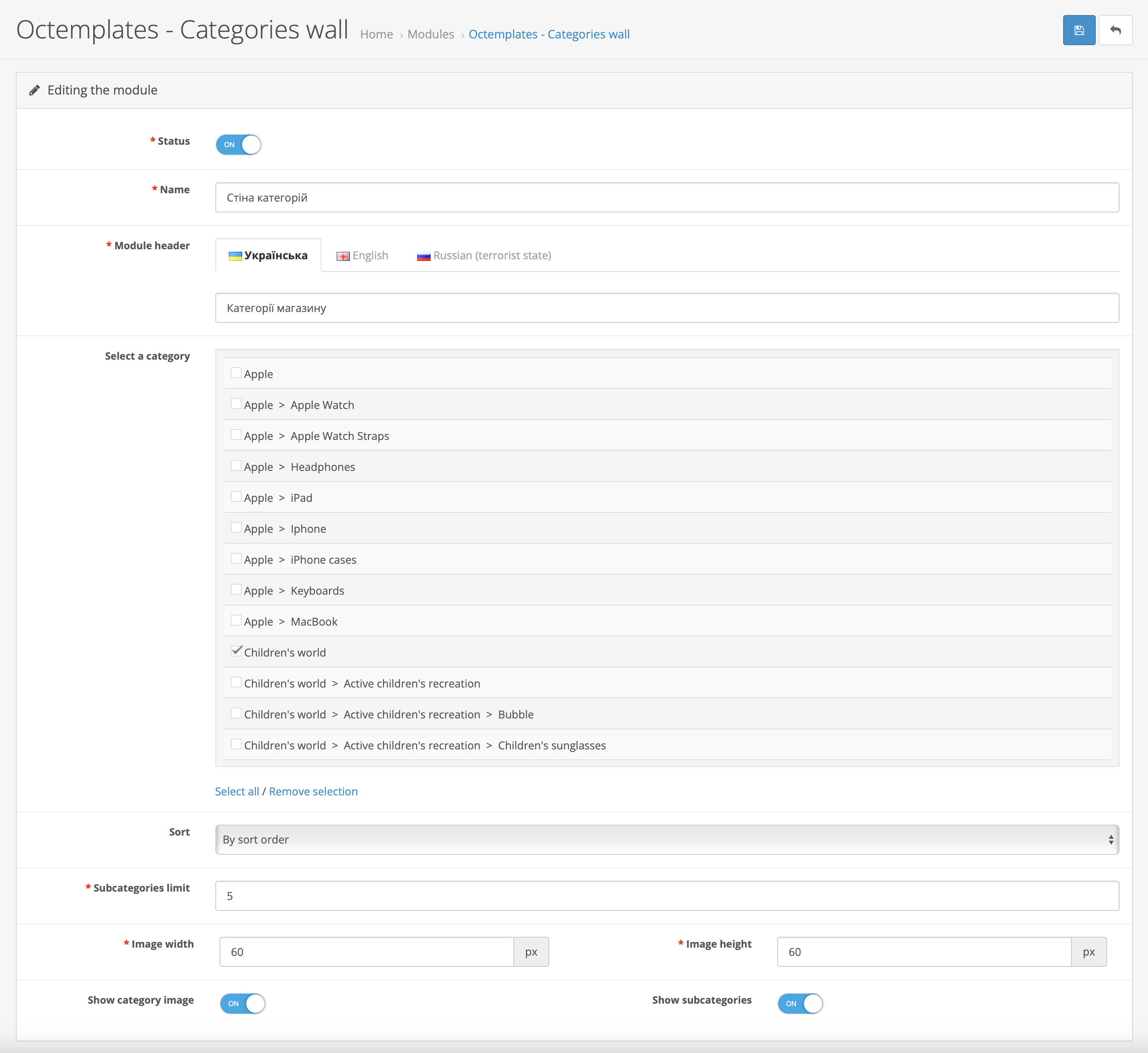
The following settings will be available here:
- "Status" — allows you to enable or disable the module display;
- "Name" — allows you to set the system name for the module in the store admin panel;
- "Module title" — allows you to set the title that will be displayed in the module;
- "Select category" — allows you to select the categories that will be included when displaying the module;
- "Sorting" — allows you to sort categories by name or by the sort order specified in the category settings;
- "Subcategory limit" — allows you to select the number of subcategories that will be displayed in each category block;
- "Category image width" — allows you to set the category image width;
- "Category image height" — allows you to set the category image height;
- "Show category image" — allows you to enable or disable the category image display;
- "Show subcategories" — allows you to enable or disable the subcategory display.
Write a comment