
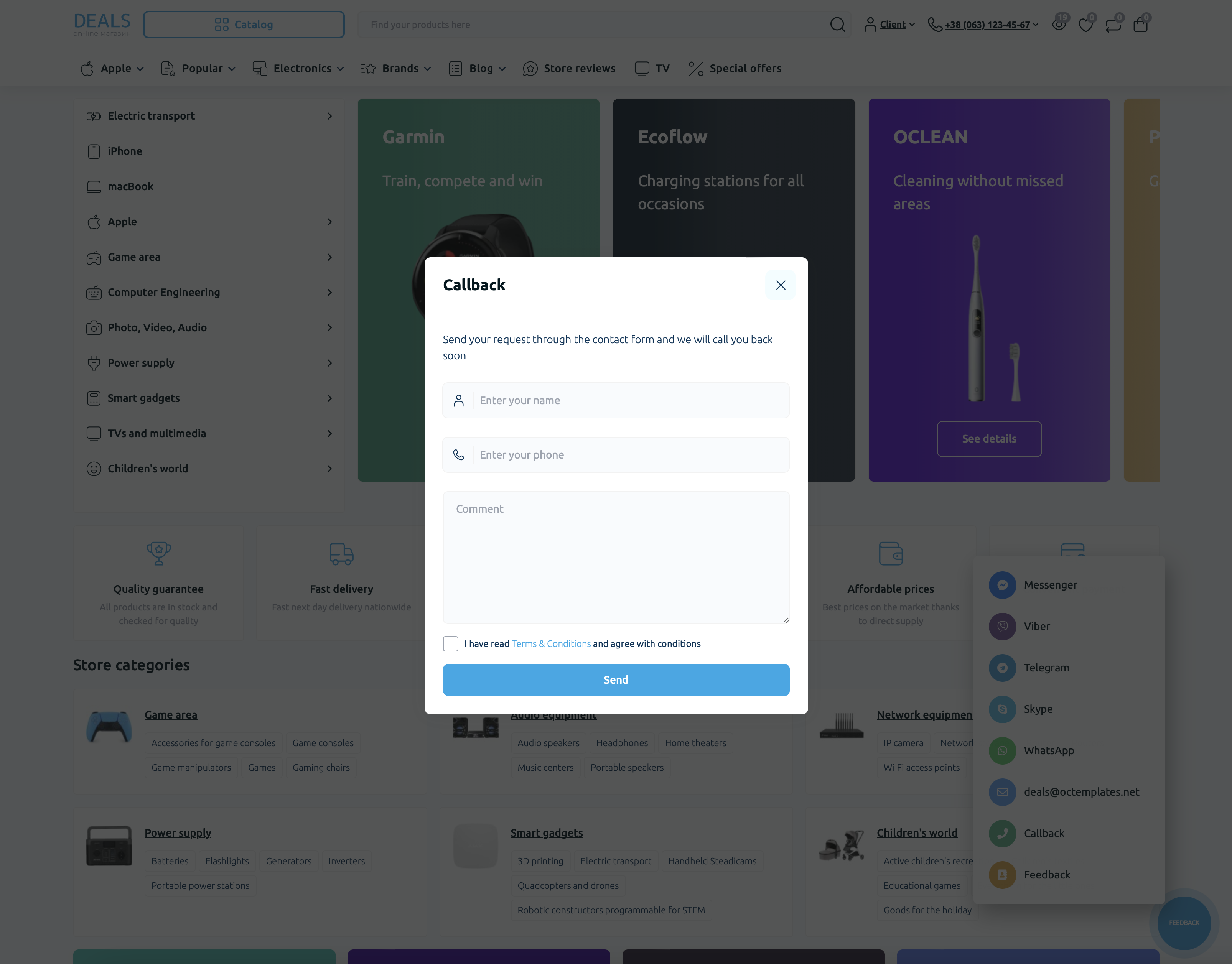
The "Callback" module allows you to display a button in the site header in the phone dropdown block and a link in the "Feedback" widget. When clicked, a form opens for entering contact details. After the form is completed and the "Send" button is clicked, the form data is sent to the store administrator by E-mail and is also saved in the "Callback" module in the "Request List" tab.
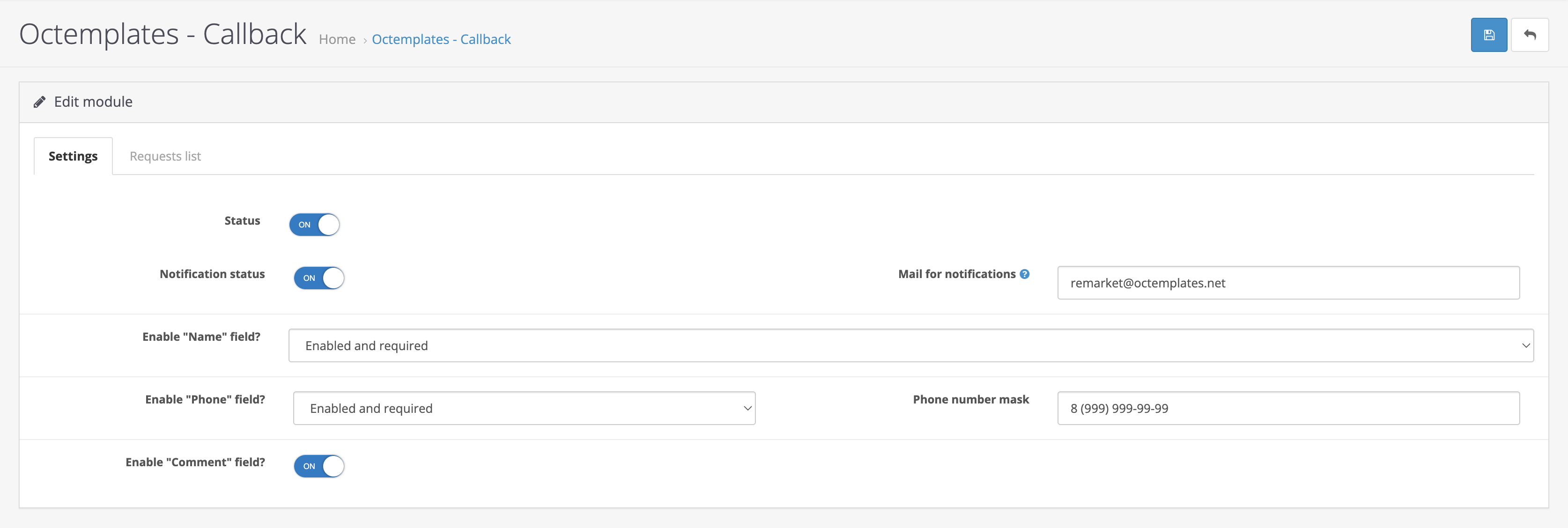
The following options are available in the module "Settings" tab:
- "Status" — allows you to enable or disable the module;
- "Notification status" — allows you to choose whether to notify the store administrator about a new request by e-mail;
- "Notification email" — allows you to enter the e-mail address for receiving notifications about new requests;
- "Show Name field?" — allows you to show or hide the "Name" field for entering user data;
- "Show Phone field?" — allows you to show or hide the "Phone" field for entering user data;
- "Phone number mask" — allows you to select a phone number input mask so that users can enter correct data more easily. For the plugin to work correctly on all devices, use the "9" character, where 9 represents digits that can be changed. For example, the mask for Ukraine: +38(999)999-99-99.
- "Show Comment field?" — allows you to show or hide the "Comment" field for entering user data.
Attention! If you want to specify more than one address for receiving notifications, enter the email addresses separated by commas.
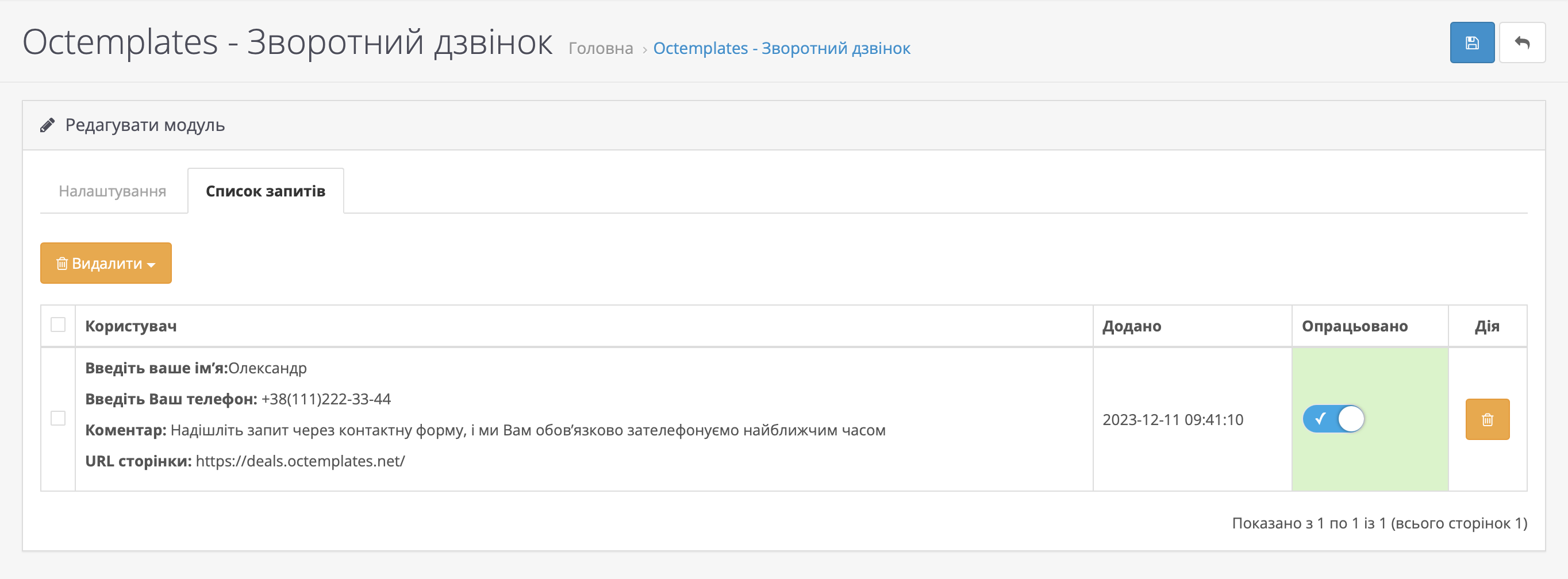
In the "Request List" tab, you can view all requests created by users. You can also mark processed requests, add your own comments to requests, and delete unnecessary requests either one by one or in groups. All new unprocessed requests will have a red block background, while processed requests will have a green block background.
Write a comment